
Custom vs Off-the-Shelf Software: Which Should You Choose?
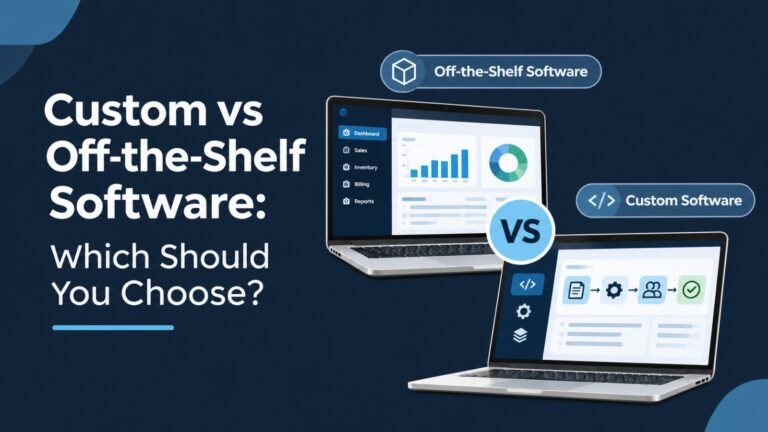
You may have started narrowing down your options and received quotes from development companies. At first glance, off-the-shelf software will seem cheaper, whilst custom software will seem like a larger investment. But this is rarely the case in the quote.
Will the software scale with your team size? Will the software limit you from completing a key process? If you change platforms in 3 years, what will this cost?
Below we’ve outlined how custom and off-the-shelf software stacks up. We’ll also provide you with a checklist to help you decide.
What is Off-The-Shelf Software?
Off-the-shelf software is created for the general market. You’ll pay for a license or subscription to use the software and utilize the features provided.
This is great if you’re looking for software to complete basic tasks such as accountancy, payroll, e-mailing, and invoicing. For example, a retail business can begin using a typical Point of Sale (POS) system straight away.
However, if your business becomes more complex, you may have to adapt your current processes to fit with the software. This can include paying for extra modules or finding a separate tool.
If you’re looking into ERP software, our ERP implementation service will explain how this decision can be made.
What is custom software?
Custom software is tailored around how your business operates. You’ll work with a development team to create the features needed to help your business.
For example, an auto-parts distributor may have hundreds of dealers. Each dealer will have different discount brackets, credit limits, and order rules. While a typical application may provide most of the functionality, there may be gaps in the system which cause extra manual work.
By developing a custom solution, you can build the processes into the application. This is great if you have processes that have a direct impact on your customers, efficiency or competitive advantage.
Why Does It Matter?
If you’ve got simple requirements to meet, choosing software is straightforward. However, if your business starts to grow, you’ll notice some limitations.
For example, a manufacturing company may invest in an application that seems to suit their needs during the demo. However, after 6 months they may be having to manage multiple spreadsheets due to the system not supporting their approval and reporting processes.
While the subscription seems affordable, this extra work will start to affect productivity. Custom software can be costly. It can also cause issues with project management and maintenance. Whether you should invest in custom or off-the-shelf software depends on your business’ needs and how likely they are to change.
Custom vs Off-the-Shelf Software: Five-Factor Comparison
In Custom vs off-the-shelf software, they each differ on five practical dimensions: cost, fit, speed, ownership, and scalability. Here is the summary before we go through each.
Factor | Off-the-shelf software | Custom software |
Upfront cost | Low, often a subscription | Higher, you fund the build. |
Ongoing cost | Fees grow with users and modules | Hosting and maintenance |
Time to start. | Days to weeks | Weeks to months |
Fit | You adapt to the product. | The product adapts to you. |
Ownership | The vendor owns the code and roadmap. | You own code and data if the contract says so. |
Integration | Limited to what the vendor supports | Built around your existing systems |
Cost Over 3 Years
While the initial quote will be a consideration, For off-the-shelf software, there will be costs for subscription, implementation, extra users, premium features, and integration. These can all increase as your business grows.
For custom software, there will be costs for development, testing, hosting, maintenance, upgrades, and technical support. To help you see how much you’ll be spending, try calculating the total amount you expect to spend over 3 years. This can also include costs for manual workarounds and moving platforms.
Our ERP implementation costs guide explains the costs you should consider.
Which One Suits Your Processes?
If your team follows typical accounting or inventory processes, an off-the-shelf application may provide everything you need. There’s little reason to develop from scratch.
However, if you have a manufacturing company that has a unique approval process for batches, multiple quality checks and specific reporting for customers, you may find your employees are having to manage separate records due to the application not supporting this.The more specialized your processes are, the more flexibility you’ll want from your software.
How Quickly Can It Be Implemented?
Off-the-shelf software generally has the upper hand. As it’s already been developed, there will just be some setup, data migration, training, and testing. Custom software can take longer. The development team will need to understand your requirements, develop functionality, and test the application.
Not all custom projects will take this long. You can implement the software in phases to ensure the most important features are added first. This means your employees can begin using the application straight away whilst further functionality is being developed.
Find out more about how custom ERP software can be implemented in phases with our how custom ERP software is implemented guide.
Who Owns The Software & Data?
Many businesses overlook this until they want to switch providers. With off-the-shelf software, the vendor usually owns the application. They’ll have control over the development roadmap. You’ll have access to the product according to the license or subscription.
Before purchasing, check if you can export your data, what formats are available, and if there are any exit costs. With custom software, you have more control.
However, make sure your agreement includes details of who owns the source code, documentation, IP, hosting accounts, and business data. Having this decided prior to starting your project will make it much easier to manage.
Will It Scale & Integrate?
As your business grows, you may notice some limitations. For example, if a retail company opens another warehouse, they may need their inventory application to integrate with an existing billing system. If the integration isn’t available, employees may have to enter duplicate data.
If the features, integrations, and pricing of off-the-shelf software suit your growth plans, it can scale well. With custom software, you’ll have more flexibility in how you implement your software. It will, however, still need to be well-structured with a dependable framework and technical support.
When to opt for off-the-shelf software vs custom software
You should never spend money on custom software unless you really can afford to. Sometimes opting for an off-the-shelf solution may not be the best choice.
Opt for an off-the-shelf solution if:
Your requirements are standard for your industry. You need an application up and running fast. It is mostly feature-complete, and you are happy to pay a set fee for a subscription. Your team does not have the resources to upkeep custom software.
Tools for off-the-shelf
Accounting, POS, and standard inventory software. To start with, you can use spreadsheets and free trials to get started at no cost.
Opt for custom software if:
Your workflow is why customers come to you. You’re manually connecting three or four tools. Per-user costs are increasing quicker than your revenue.
A hybrid solution is often the best option. You can configure an off-the-shelf platform to meet standard requirements. Then build your custom software only where there are gaps. Both can work together.
Custom software tools
Use open-source frameworks and low-code software to create a prototype for your workflow. This will allow you to test for a low cost.
Next Steps
To make sure you make the right decision, document your findings. Follow these steps to avoid buyer’s remorse:
List all your workflows and note which are standard and which are unique. Try two or three off-the-shelf solutions for your standard workflows.
Work out the 3-year cost, including new users. Find out who owns the code, data, and support. Start with the smallest piece of custom software to remove the most pain.
Read our guide to phased AI-powered custom software development, or ask us to do a software assessment.
Conclusion
Custom and off-the-shelf software aren’t competitors. They both win in different areas. Buy software where you have standard workflows, and build where you have unique workflows. Use the numbers over 3 years and a clear checklist to make an informed decision.
FAQs
Is custom software more expensive?
Custom software will cost more upfront but isn’t always the more expensive option. Whilst the initial invoice for off-the-shelf software will be cheaper, licence fees will increase based on the number of users and modules. When looking at the total cost over 3 years, you’ll see the true cost.
How long will it take to develop?
Off-the-shelf software can be up and running in days/weeks. Custom software will generally take weeks/months. This is dependent on how much you want to build, integrate, and test. You can often get your most urgent workflow up and running much quicker with a phased release.
What are the risks?
The main risks with custom software are scope creep, dependency on one developer, and no maintenance plan. All of these can be avoided by having a documented scope, code in your name, and access to the hosting. Plus having a support agreement.
Who owns the code and data?
This depends on what is in your contract. It should be agreed upon in writing. A good contract will give you access to the source code, documentation, data, and hosting accounts. If these aren’t included, then changing vendors will be costly and slow.
Can we mix both?
Yes! Many growing businesses should. Use off-the-shelf software for your standard workflows and build custom software for your unique workflows and to link your systems. This is generally a lower risk option.
Find the Right Software Solution for Your Business
Compare custom and off-the-shelf software with expert guidance. Get a solution recommendation based on your business needs, budget, and growth plans.
Get Your Software Recommendation