AIVORA Techlabs — Best Zoho Partner, Built Around Your Business
Zoho Implementation Partner | Zoho CRM Implementation Services | Zoho HRMS Implementation | Zoho One
Book a Consultation
Discuss your Zoho implementation and workflow goals with our experts
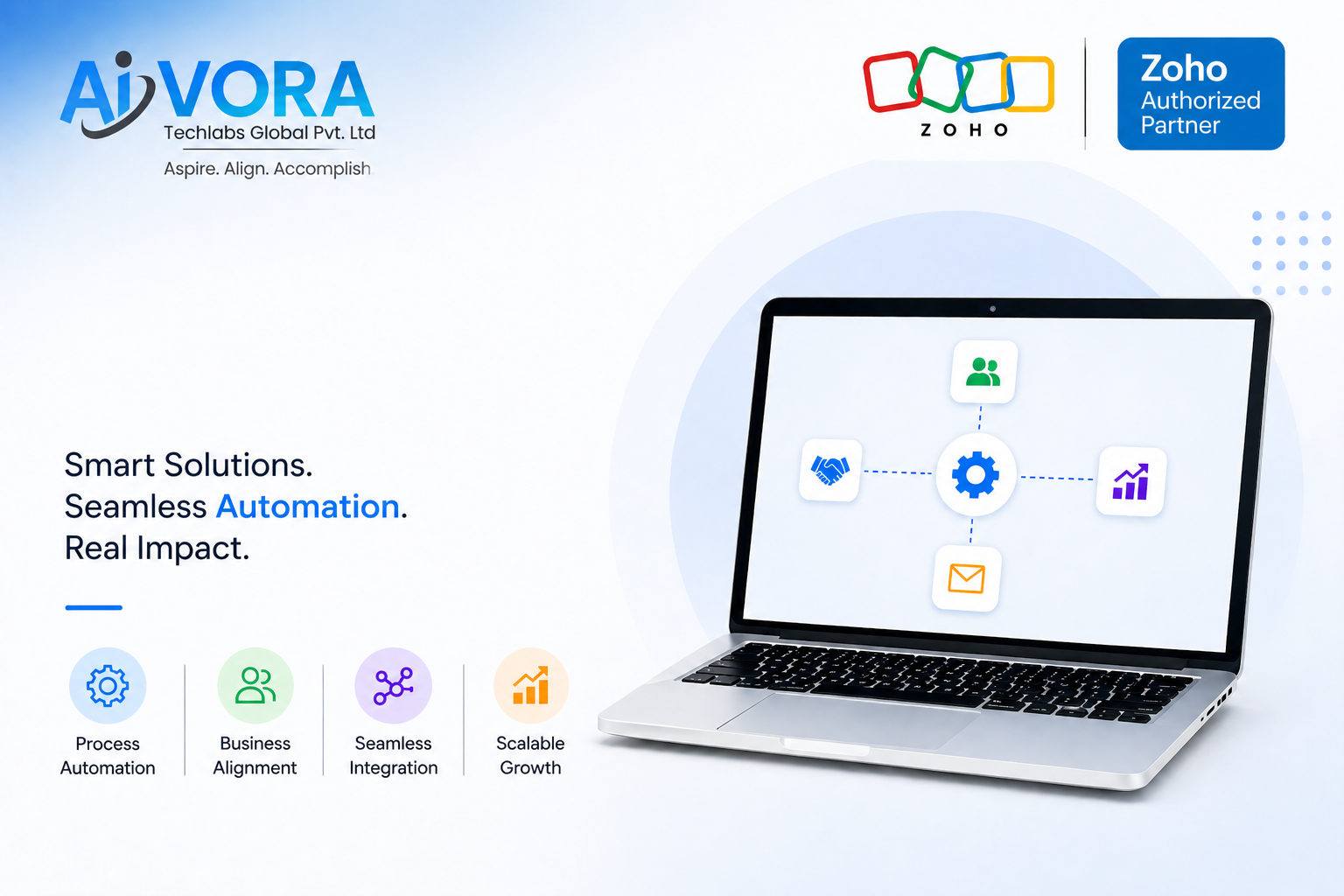
Zoho covers the full operating layer of a business — sales, HR, finance, support, analytics, and projects — without requiring an enterprise budget or a six-month rollout. But the platform alone is not the answer. A Zoho licence, configured with default settings and without a proper discovery phase, is how most implementations end up gathering dust six months later.
AIVORA Techlabs is one of the best Zoho Partners. We are a business consulting and IT Software Development Agency. Zoho is one of the platforms we use to solve operational problems — not the other way around.
Why Businesses Choose Zoho Over Other Platforms
| Factor | What It Means in Practice |
|---|---|
| Indian compliance built in | PF, ESIC, TDS, GST — no custom development required |
| SMB-appropriate pricing | Scales with business size; no enterprise tier lock-in |
| Ecosystem breadth | CRM, HR, finance, support, and analytics on one platform |
| Zoho One consolidation | Replaces 5–8 disconnected tools under a single licence |
| Local + global coverage | Works for businesses operating across India, UAE, USA, and UK |
Most businesses that come to us are running tools that don’t talk to each other. Finance is separate from sales. HR is separate from everything. Reports take half a day to assemble by hand. Zoho One — the full-suite licence — puts all of that on a single connected data layer. Dashboards connect. Data flows. Decisions stop waiting for someone to build a report.
What it doesn’t do automatically is work well. Configuration, process mapping, data migration, integration, and training — that’s the implementation. And the quality of the Zoho implementation partner you choose determines whether the platform pays off or sits unused.
AIVORA Techlabs Approach for Zoho Consulting Services
Most Zoho implementations fail for the same reason. The partner configures the platform for how the business wishes it to operate. The sales team gets a CRM mapped to an ideal pipeline nobody follows. HR gets an HRMS with approval workflows that don’t match their actual hierarchy. Three months in, people go back to spreadsheets.
AIVORA Techlabs process starts with discovery — before a single module is configured.
What the discovery phase covers:
- Current workflow mapping — how leads, deals, and HR processes actually move today
- Data audit — where information lives, what needs to migrate, what needs to be cleaned
- Integration requirements — which existing tools need to connect to Zoho
- Gap identification — where manual work is creating the most friction
- Success definition — what measurable outcomes the business expects in 90 days
The configuration that follows is built against those answers. Not against a default template, not against how a similar business was set up, and not against what looks good in a handover document.
This matters most when businesses are implementing both sales and HR tools together. A new salesperson joining the team needs CRM access, lead assignment, and territory configuration from day one — not after a week of emails between IT and HR. When both systems are connected, and onboarding triggers CRM provisioning automatically, that coordination disappears.
Currently, we are focusing on the CRM & HRMS Services. Here is how we implement it.
Zoho CRM Implementation Services — Sales Pipeline Automation and CRM Setup
Zoho CRM is the most widely implemented tool in the Zoho ecosystem and the most commonly under-used. Businesses that treat it as a contact database are operating at roughly 20% of its capability.
What a properly configured Zoho CRM handles:
| Capability | Default Use | Full Implementation |
|---|---|---|
| Lead management | Manual data entry | Auto-capture from web, WhatsApp, campaigns |
| Lead routing | Assigned manually | Routed by territory, product, or rep capacity |
| Follow-up | Remembered by reps | Triggered automatically by deal stage and idle time |
| Reporting | Monthly exports | Real-time dashboards for management and reps |
| Communication | Separate email and WhatsApp | Synced to contact record automatically |
| AI support | None | Lead scoring, email drafts, deal risk flags via Zia |
Zoho CRM automation is where ROI is most visible. When a new lead enters the CRM, a WhatsApp message goes out within seconds — without anyone pressing a button. WhatsApp messages open at above 90%. Emails average around 20%. In competitive sales environments, first-response speed matters more than most businesses realise until they measure it.
The Q1 2026 updates strengthened this further:
- Workqueue — a single daily view for every rep showing pending tasks, priority deals, and new assignments. No more jumping across five modules to know what to do.
- Smart Prompts with multi-LLM support — email drafts and call summaries generated in context from the actual deal record, using Gemini, Claude, or Cohere, depending on preference.
- Zia 1-click actions — Zia surfaces a risk or opportunity, and one click triggers the automation without the rep navigating elsewhere.
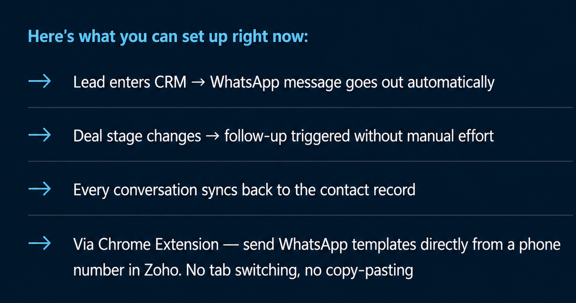
Zoho CRM setup and customisation at AIVORA Techlabs covers:
- Pipeline stages mapped to the business’s real sales process
- Lead capture automation from website, WhatsApp, and campaigns
- Workflow automation for follow-ups, deal-stage transitions, and notifications
- WhatsApp Business API integration with auto-message templates
- Zia AI configuration — lead scoring, smart prompts, Workqueue setup
- Role-specific dashboards for sales reps, team leads, and management
- Training sessions by role — not a single all-hands demo
For a business of 20–100 people, Zoho CRM implementation typically runs three to five weeks from discovery to go-live.
Zoho HRMS Implementation — HR Process Automation Across the Full Employee Lifecycle
Most businesses that have Zoho People use it for attendance and leave management. That’s roughly 15% of what the platform does.
The full employee lifecycle in Zoho People:
| Stage | What Zoho People Handles | What Gets Missed Without It |
|---|---|---|
| Recruitment | Job postings, applications, interview scheduling (Zoho Recruit) | Candidates tracked on WhatsApp; no structured process |
| Onboarding | Checklists, document collection, access provisioning | New hires waiting days for setup; ad hoc training |
| Attendance & Leave | GPS-based attendance, leave policies, approval workflows | Excel sheets; manual approvals; payroll errors |
| Performance | OKRs, KPIs, appraisal cycles, 360-degree feedback | Annual reviews based on memory, not data |
| Payroll & Compliance | PF, ESIC, TDS, professional tax — automated | Manual calculations; compliance gaps caught at audit time |
| Exit & Offboarding | Resignation workflow, exit interviews, asset recovery | Incomplete handovers; no turnover data |
Zoho HRMS implementation at AIVORA Techlabs is configured around the business’s actual policies — not a generic HR template.
- Leave approval hierarchies vary across companies and get mapped before configuration
- Attendance rules for remote, hybrid, and on-site employees are set up separately
- Onboarding checklists reflect the actual documents and access each role requires
- Performance modules are built around the company’s existing review structure, whether that’s OKRs, KRAs, or a custom framework
Integrations handled as part of the scope (not add-ons):
- Zoho CRM — for sales team performance visibility in HR
- Google Workspace and Microsoft 365
- Biometric attendance systems
- Third-party payroll tools where required
- Slack for HR notifications and approvals
The performance management module is where structural improvement is most visible for growing businesses. Most SMBs run annual appraisals with incomplete data, which makes them slow and difficult to act on. Continuous performance tracking builds an evidence base over time. Appraisals become reviews of real numbers — deals closed, KPIs met, attendance records — not attempts to reconstruct a year from scattered memories.
Implementation Pricing — What Transparent Scoping Looks Like
Zoho implementation pricing varies significantly across partners, and the variation is rarely explained upfront.
AIVORA Techlabs scopes implementations by actual requirement:
| Scenario | Approach |
|---|---|
| Single module (e.g., Zoho CRM, 30-person team) | Scoped and priced individually |
| Multi-module (e.g. CRM + HRMS) | Combined scope with phased milestones |
| Zoho One rollout (100+ people) | Full discovery before quoting |
| Post-implementation support | Fixed monthly, not hourly |
The practices that inflate costs unnecessarily:
- Configuring modules the business doesn’t need
- Charging separately for integrations that are standard scope
- Billing rework time caused by inadequate discovery
- Retainer models with unpredictable monthly billing
These are the ones we specifically avoid by getting the scope right at the start. The businesses that extract the most value from Zoho are the ones where expectations were set clearly before work began — and delivered against.
Frequently Asked Questions
Can Zoho replace disconnected spreadsheets and manual approvals?
Yes, when it’s configured around how the business actually operates. Zoho can centralise sales pipelines, HR workflows, finance approvals, project tracking, and support queues — replacing Excel, WhatsApp groups, and email threads that most growing businesses run on. The configuration has to reflect real processes. A default template setup rarely survives contact with the actual business.
Which Zoho apps are commonly implemented together?
It depends on the operational gap being addressed:
- Sales-led businesses: Zoho CRM + Zoho Analytics
- HR-focused implementations: Zoho People + Zoho Payroll + Zoho Recruit
- Finance and operations: Zoho Books + Zoho Inventory + Zoho Projects
- Full business automation: Zoho One — covering CRM, People, Books, Desk, Projects, Creator, Inventory, and Analytics under a single licence
Is Zoho suitable for mid-market companies?
Yes. Zoho handles the operational complexity of multi-department workflows, tiered sales hierarchies, multi-location HR, and integration-heavy environments without the implementation cost of enterprise platforms like Salesforce or SAP. It works well for businesses at the 100–500 employee range without requiring a dedicated internal IT team to maintain it.
What does Zoho People do for an HR team?
Zoho People automates the operational side of HR — attendance tracking, leave approvals, onboarding workflows, performance reviews, and employee self-service. HR teams running these manually typically spend a significant portion of the week on administrative tasks that add no strategic value. When those processes run automatically, that time becomes available for work that does.
Can Zoho CRM and Zoho People integrate with existing tools?
Yes. Zoho’s ecosystem connects with:
- Google Workspace and Microsoft 365
- Slack and team communication tools
- Biometric attendance devices
- Third-party payroll software
- WhatsApp Business API
- Most standard SaaS tools via API or Zoho Flow
Integration requirements are mapped during discovery — before configuration begins, not after the system is live.
How long does a Zoho implementation take?
| Scope | Team Size | Typical Timeline |
|---|---|---|
| Single module (CRM or HRMS) | 20–50 people | 4–6 weeks |
| CRM + HRMS combined | 50–150 people | 10–12 weeks |
| Zoho One multi-module | 100+ people | 14–20 weeks |
| Rescue / re-implementation | Any size | 6–8 weeks to stabilise |
Timelines significantly shorter than these usually mean discovery or testing has been cut — which is where most failed implementations originate.
What training and support does AIVORA provide?
Training is role-specific, not a single all-hands demo:
- End users — the workflows they run daily
- Admins — configuration, user management, and system changes
- Management — dashboards, reporting, and pipeline visibility
Post-go-live support is a fixed monthly arrangement covering configuration changes, user additions, and issue resolution. Quarterly check-ins are included to review adoption and adjust configuration as the business evolves.
We already have Zoho, but the team isn’t using it. Can that be fixed?
Yes. A rescue engagement starts with a configuration audit:
- Review what was configured and how it maps to actual workflows
- Identify where adoption broke down — was it configuration, training, or data quality?
- Rebuild the workflows and automation against the real process
- Re-train by role, not by platform feature
Choosing the Best Zoho Partner for Your Business
The Zoho partner network has grown considerably. Most partners can licence the software and run a standard setup. Fewer have the implementation depth to handle data migration without losing team trust, configure automation that reflects real sales and HR workflows, or run training that produces adoption rather than checkbox completion.
A no-cost audit of your current setup is a sensible starting point. We review what’s in place, where the gaps are, and what a properly scoped implementation would look like for your business.
Ready to implement Zoho the right way?
Book a free 30-minute consultation with AIVORA Techlabs and discuss your workflows, automation goals, and implementation needs.
Get the latest
Business Growth
& Insights
Strategies. Trends. Insights.
Everything to grow your business.
✔ New stories every week
BUSINESS AUTOMATION
Business Automation: 5 Processes SMBs Should Fix Before Their Next Hire
Most growing businesses hire to solve chaos. Here’s what actually works.
AIVORA Techlabs on Medium